2×2 Passport Photo Template
Create a print-ready 2×2 passport photo template. Upload your photo and get a 4×6 sheet ready for printing.
Need multiple 2×2 passport photos? Use our template to create a print-ready 4×6 sheet with multiple photos perfectly laid out. Just upload your photo, and we'll handle the rest.
What is a 2×2 Template?
A 2×2 passport photo template is a pre-formatted layout designed for efficient printing. Instead of printing individual 2×2 photos, you print a 4×6 inch sheet with multiple photos already sized and positioned correctly.
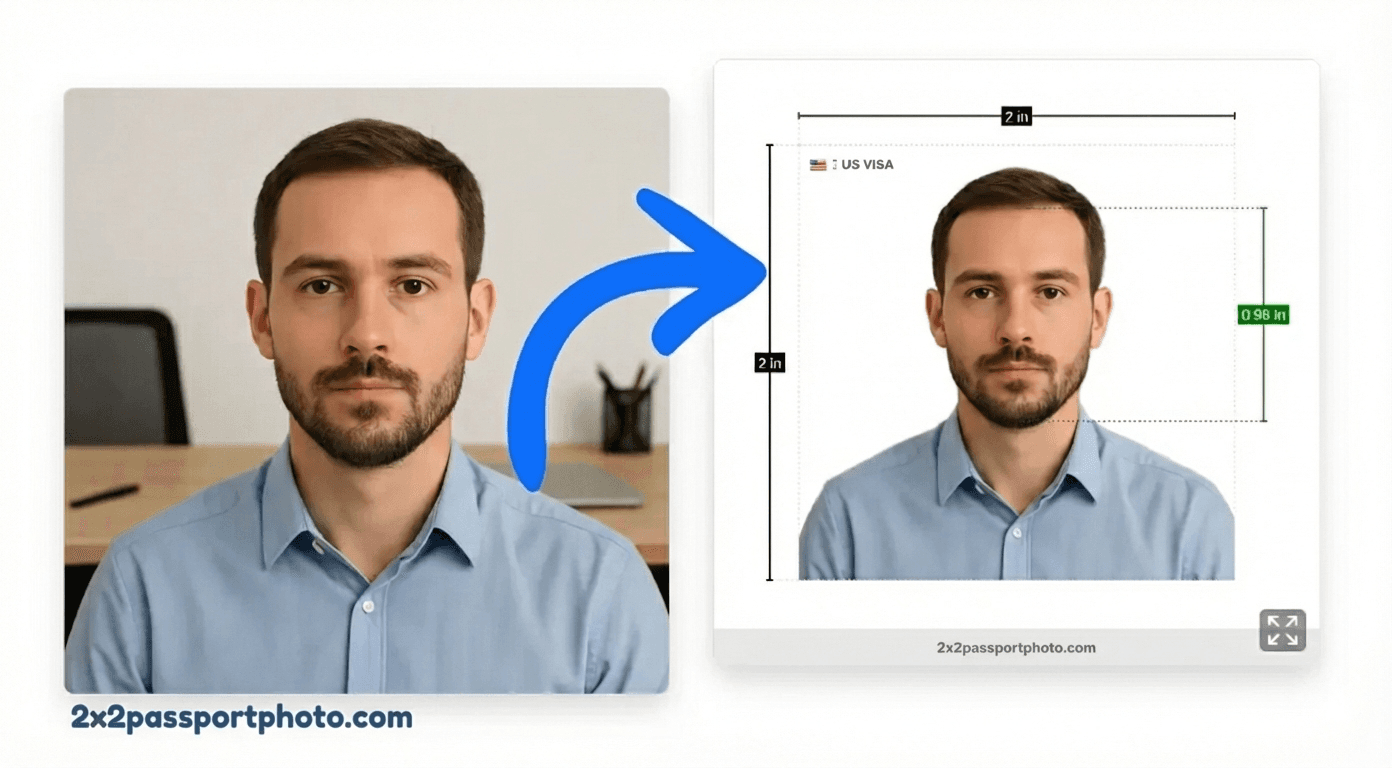
Benefits of using a template:
- More cost-effective (multiple photos on one sheet)
- Faster printing (one sheet instead of multiple)
- Consistent sizing (all photos exactly 2×2 inches)
- Proper spacing for easy cutting
- Print-ready format (no manual layout needed)
Download a Print-Ready Layout
Our tool generates a print-ready 4×6 template with your photo automatically fitted to passport requirements:
- Exact 2×2 inch sizing for each photo
- Proper face alignment and head size
- White background (automatically fixed)
- 300 DPI for sharp printing
- Multiple photos per sheet (2-4 depending on layout)
Tip
Generate 4×6 Sheet
Upload your photo and generate a print-ready 4×6 template:
Create Your 2×2 Passport Photo
Upload your photo and we'll automatically crop it to 2×2 inches with proper alignment.
Upload Your Photo
Upload a photo from your device. We'll help you crop it, remove the background, and format it for your passport application.
Start Creating PhotoFree to try. Pay only if you need a high-quality download.
Template Features:
- Automatic photo fitting to 2×2 size
- Face alignment guides
- Background removal and replacement
- Print-ready 4×6 layout
- HD quality (300 DPI) for Pro users
Template vs Individual Photo
Understanding when to use a template vs an individual photo:
Use a Template When:
- You need multiple copies
- You want to save on printing costs
- You prefer printing on 4×6 sheets
- You need photos for multiple applications
Use Individual Photo When:
- You only need one copy
- You're submitting digitally
- You prefer a single photo file
- You're printing at a professional service
2×2 Template FAQs
What is a 2×2 passport photo template?
A 2×2 passport photo template is a pre-formatted layout (usually 4×6 inches) with multiple 2×2 photo placeholders. You upload your photo, and the template automatically fits it into the correct size and position for printing.
How do I use a passport photo template?
Upload your photo to our tool, select the template option, and we'll automatically create a print-ready 4×6 sheet with your photo properly sized and positioned. Download and print the template, then cut the photos to 2×2 inches.
Is the template free?
Yes! You can preview and use our 2×2 passport photo template for free. HD downloads and print-ready files require a one-time purchase or Pro subscription.
What size is the template?
Our template is 4×6 inches, which is the standard size for photo printers. It contains 2-4 properly sized 2×2 passport photos that you can print and cut.
Can I customize the template?
Our tool automatically positions your photo in the template according to passport requirements. You can adjust face alignment and background, but the layout and sizing are optimized for compliance.
Template vs Individual Photo: Which should I use?
Use a template if you need multiple copies or want to print efficiently on a 4×6 sheet. Use an individual photo if you only need one copy or prefer to print it separately. Templates are more cost-effective for multiple photos.
Related Guides & Tools
Passport Photo Editor
Full-featured online photo editor with AI
Print 2×2 Passport Photos
Complete guide to printing passport photos
2×2 Passport Photo Maker
Create your 2×2 passport photo
Crop Photo to 2×2
Crop photos before using template
Resize Photo to 2×2
Resize with correct dimensions
General 2×2 Photo
Universal 2×2 inch format