How to Take a Passport Photo at Home
Taking a passport photo at home is easier than you might think. With the right setup and a few simple tips, you can create a compliant passport photo without leaving your house.
What You'll Need
- A smartphone or digital camera
- A plain white or light-colored wall
- Good lighting (natural light works best)
- A friend to take the photo (or a tripod)
- Our online tool to crop and adjust the photo
Step 1: Find the Right Location
Choose a location with:
- A plain white or off-white wall (no patterns, textures, or decorations)
- Good natural lighting (near a window during daylight hours)
- No shadows on your face or the background
- Enough space to stand 3-4 feet away from the wall
Step 2: Set Up Lighting
Proper lighting is crucial for a good passport photo:
- Face a window or use soft, even lighting
- Avoid harsh shadows on your face
- Make sure both sides of your face are evenly lit
- No flash reflections or red-eye
Step 3: Position Yourself
- Stand 3-4 feet away from the wall
- Face the camera directly (no tilting your head)
- Keep your shoulders straight
- Look directly at the camera lens
Step 4: Follow Passport Photo Rules
- Expression: Neutral expression, no smiling
- Eyes: Open and clearly visible
- Head covering: None (unless for religious purposes)
- Glasses: Can be worn, but no glare or tinted lenses
- Clothing: Regular clothing (no uniforms)
Step 5: Take the Photo
- Have someone take the photo, or use a tripod with timer
- Make sure the photo is in focus
- Take multiple shots to choose the best one
- The photo should show your head and shoulders
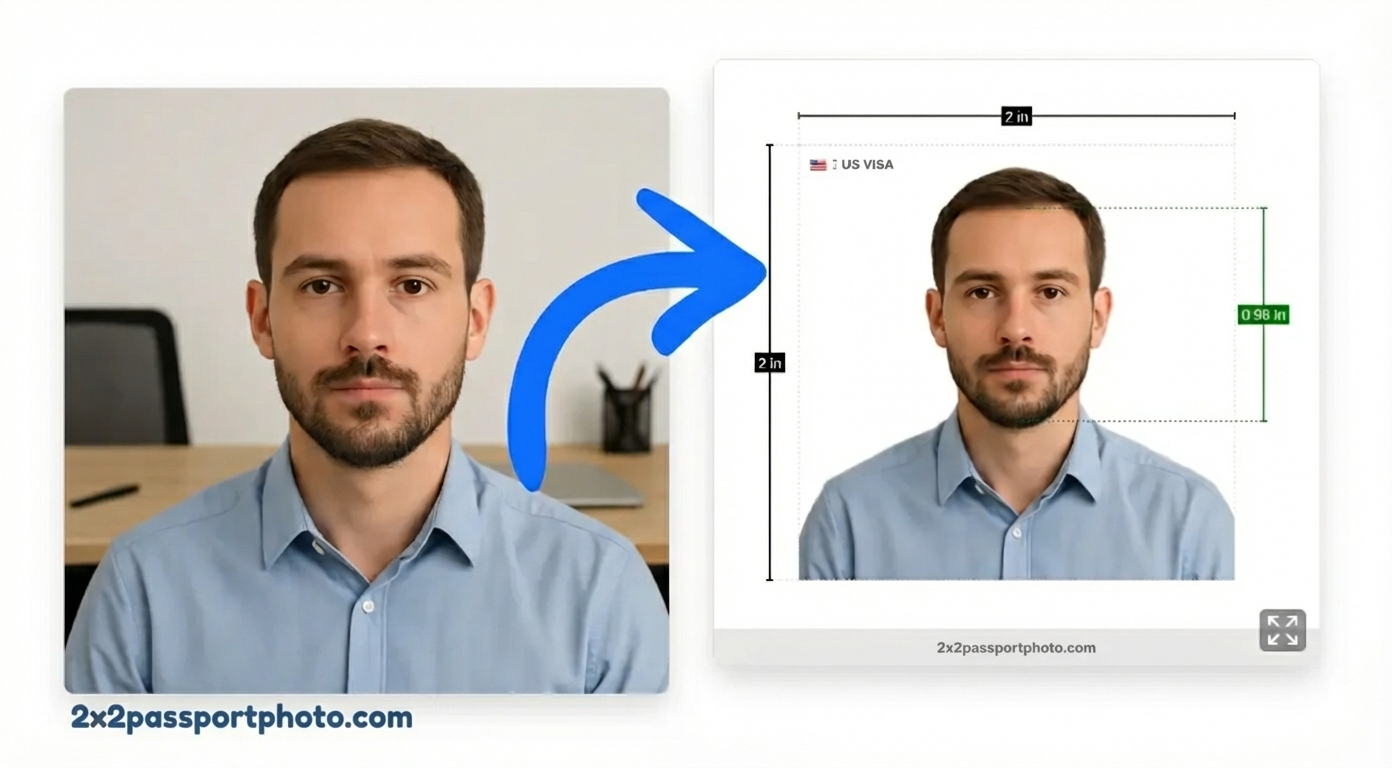
Step 6: Edit and Crop
Upload your photo to our 2×2 passport photo tool to:
- Crop to the exact 2×2 inch size
- Fix the background to pure white
- Adjust face alignment
- Ensure compliance with all requirements
Common Mistakes to Avoid
- Wrong background: Make sure it's plain white, not cream or gray
- Poor lighting: Shadows or uneven lighting will cause rejection
- Wrong expression: Smiling or frowning can lead to rejection
- Head size: Your head must be the right size (1 to 1 3/8 inches)
- Glasses glare: Remove glasses or ensure no reflections
Tips for Success
- Take photos during daylight hours for best natural light
- Use a white sheet or poster board if your wall isn't white
- Take multiple photos and choose the best one
- Follow our tool's face alignment guides
- Double-check all requirements before submitting
With these tips and our online tool, you can create a perfect passport photo at home in minutes.